Practise Part 1
Construction of non-overlapping, completely covering 1D predicates
We have four different input parameters: amount, inland, normalMin and normalMax, having the two different data types float and Boolean. Again we have a Decision parameter as the result, i.e. output parameter.
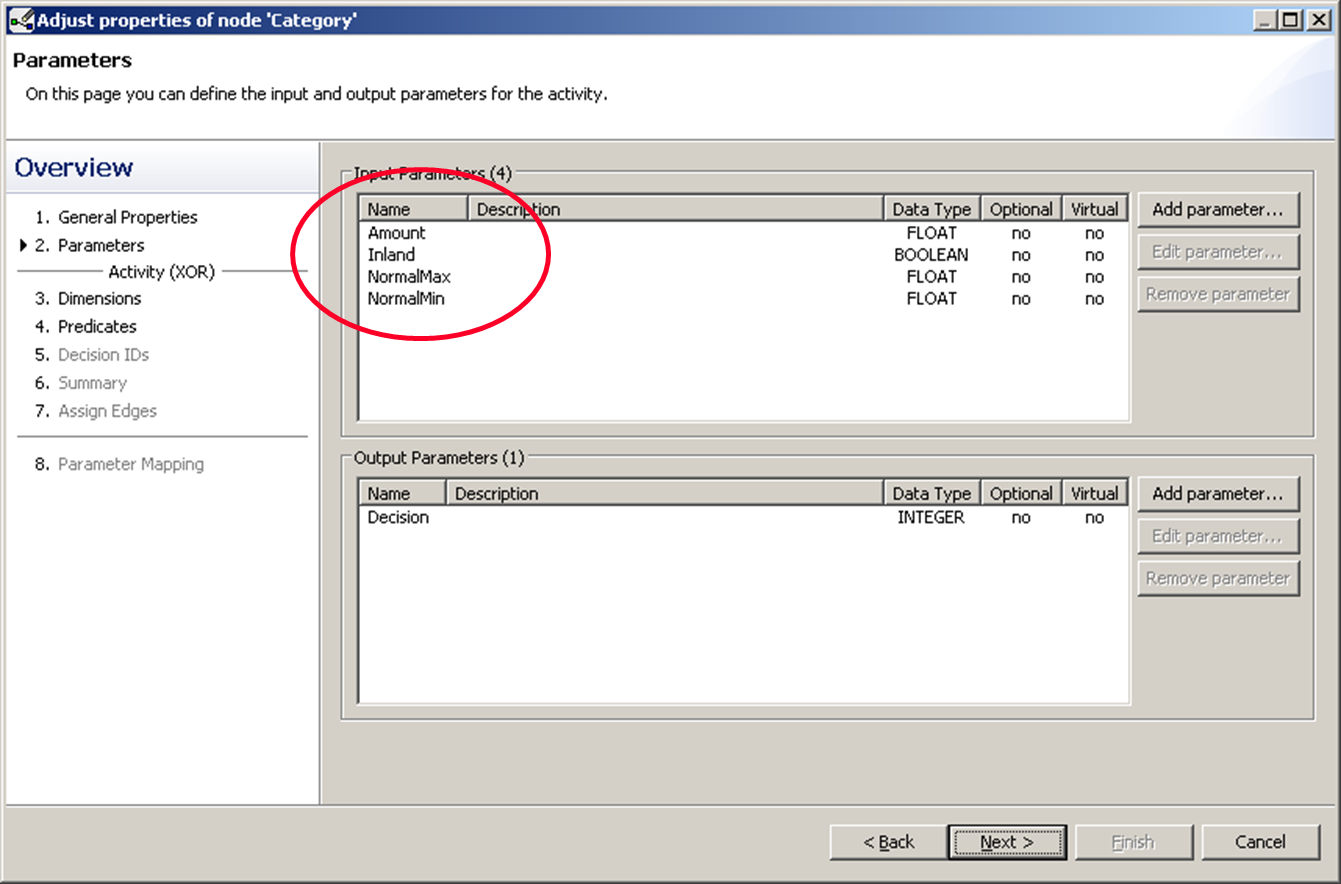
We first double click on inland to select it as the first dimension. Then we add a second dimension by click the “Add dimension” button. We then double click “Amount”. Because we want to compare the amount to the two limit values normalMin and normalMax, we select “Variables” in the top right corner.
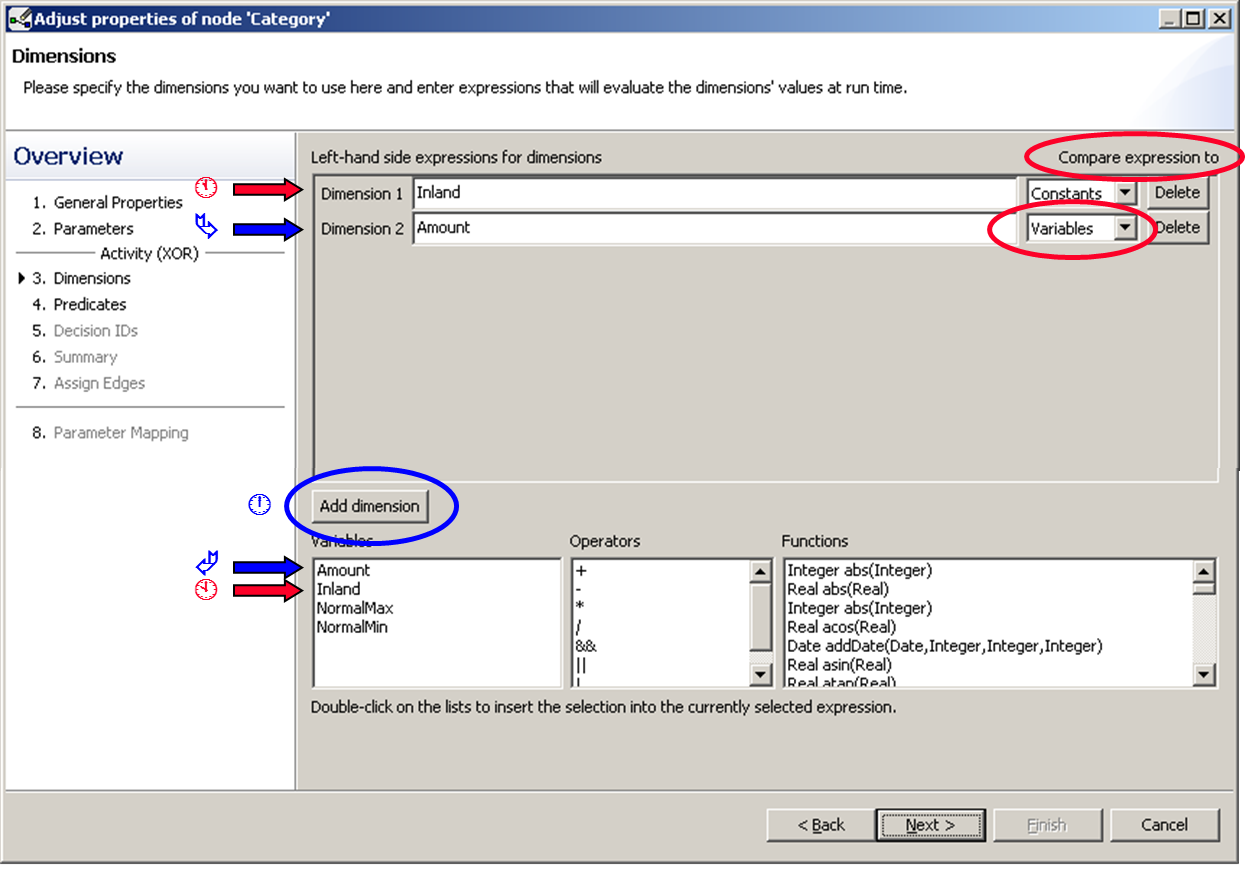
We specify the dimension in the next window, which we do in the same fashion as we did in the basic tutorial. As you see in the figure below there is a red warning symbol next to the dimension drop down list. So regardless of the first dimension being “OK”, it indicates that there are still incomplete other dimensions.
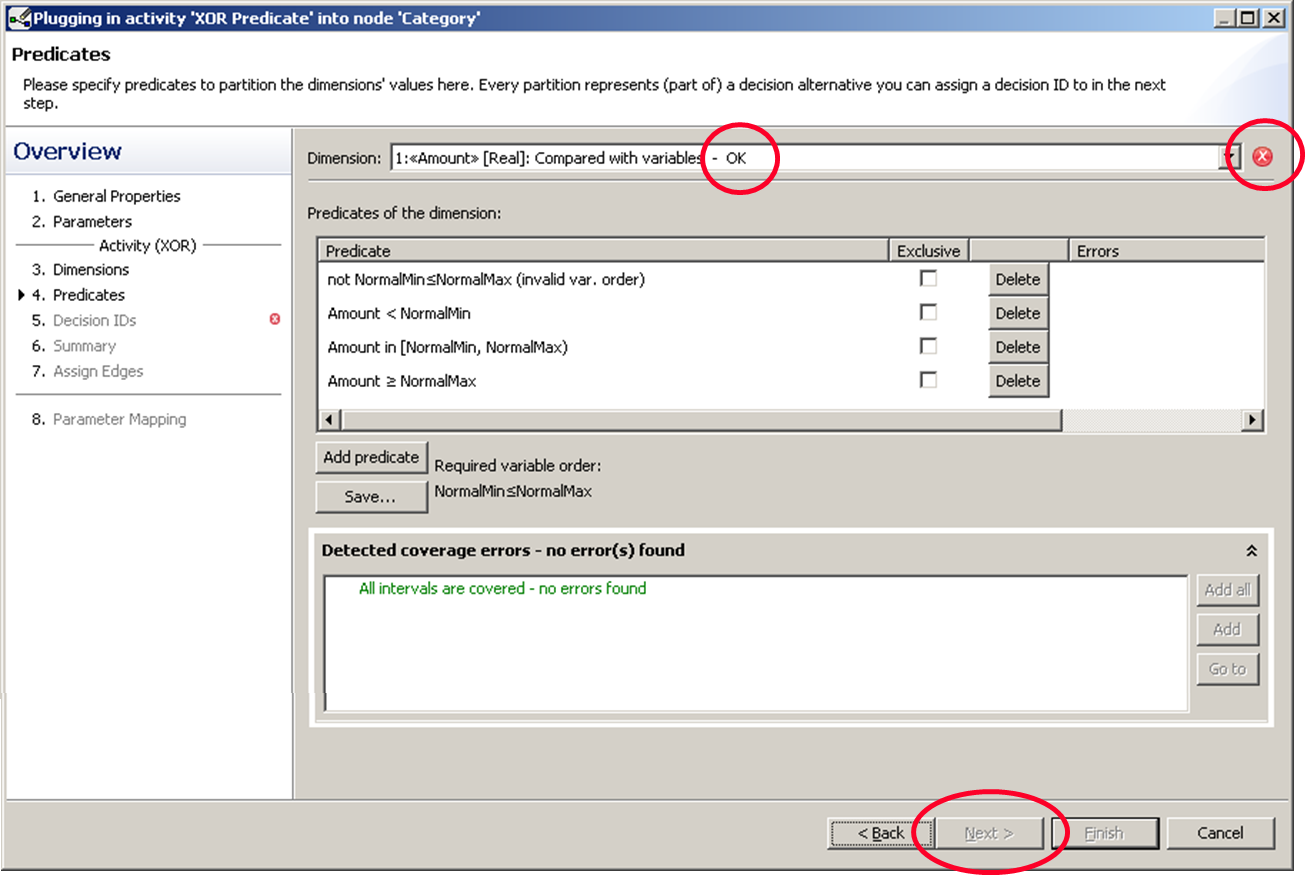
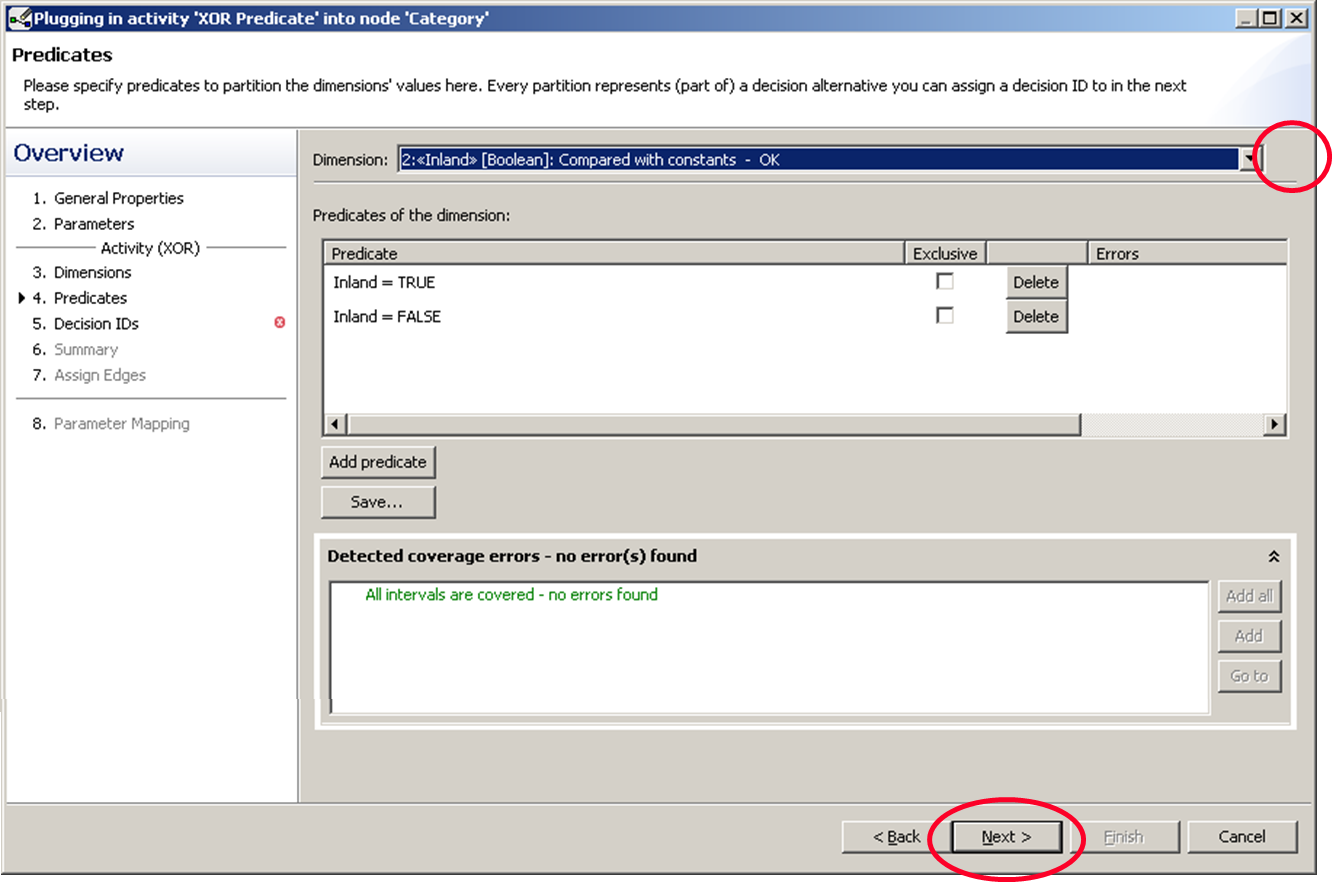
We fix this for the second dimension and the warning disappears. Now we can click next and move on.
Combination of one dimensional predicates to form multi-dimensional predicates
If we combine every interval of one dimension with every of the other dimension we get 6 predicates.
| low | normalnormal | highhhh | |
|---|---|---|---|
| inland | p1 | p2 | p3 |
| foreign countries | p4 | p5 | p6 |
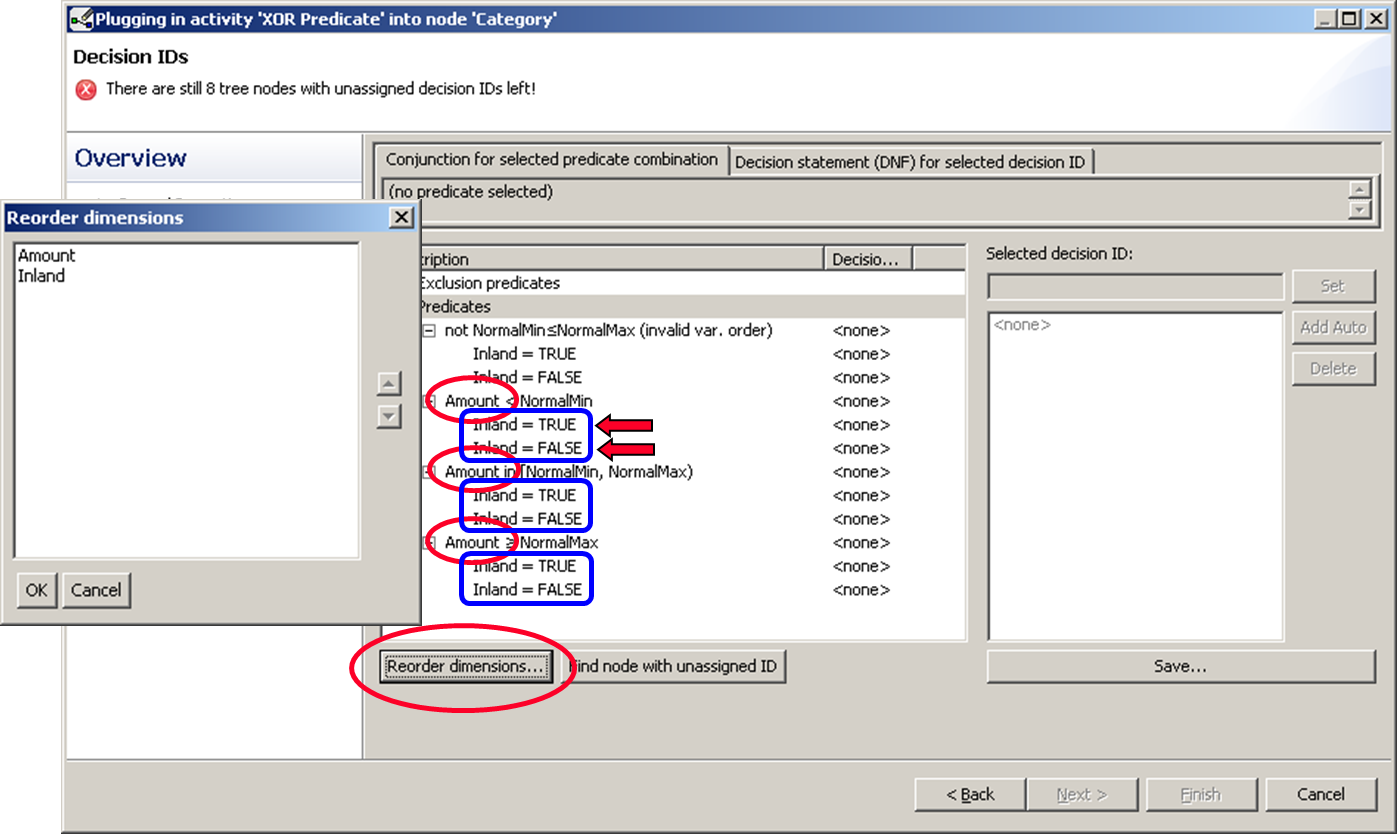
In the following window we see our predicates listed in a tree. The upper elements are combined with “&&” (AND) semantics to their child elements. For example “Amount < normalMin && Inland = TRUE”. If you want to change the structure, click “Reorder dimensions…”.
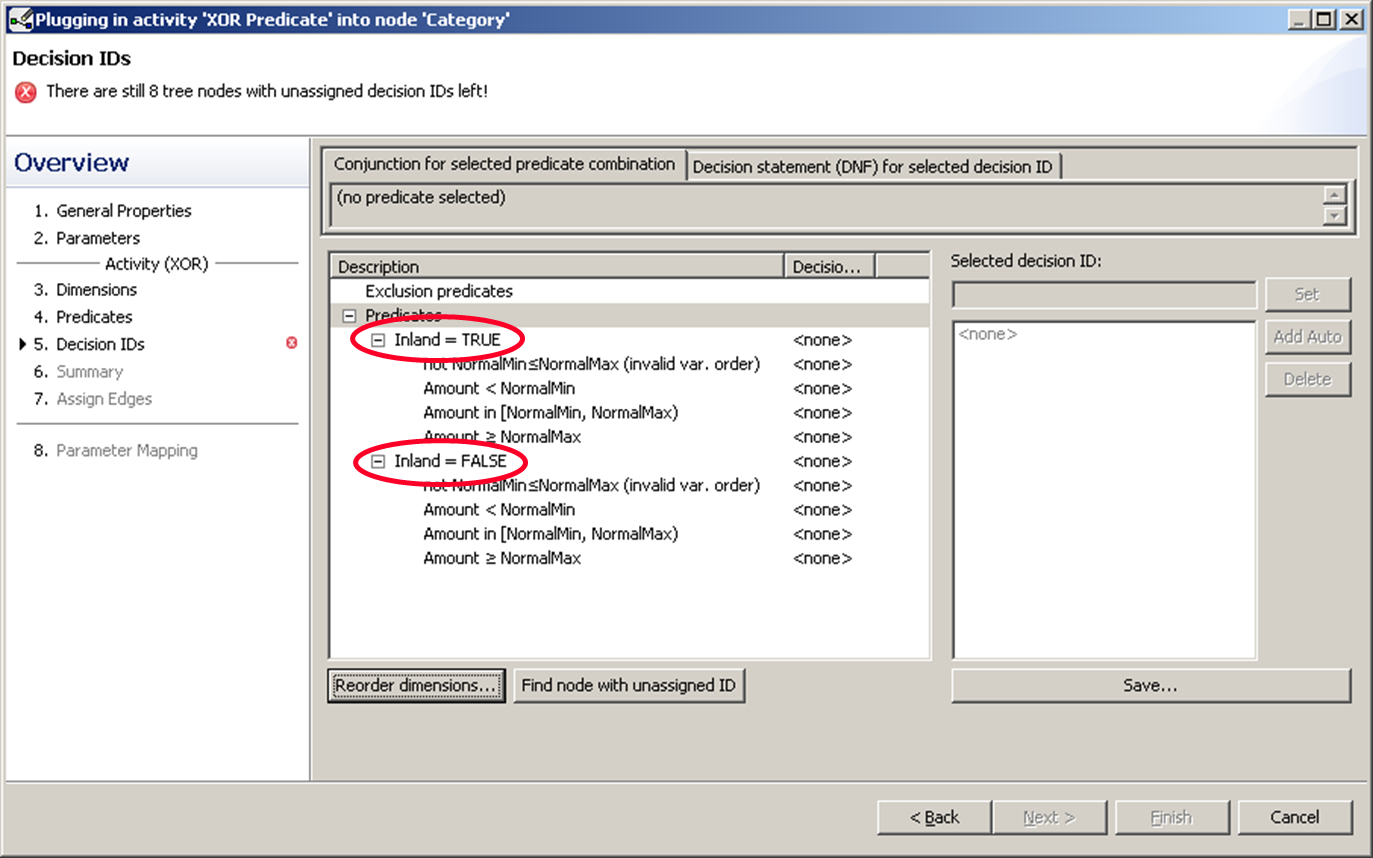
Now we have “inland” and “foreign countries” on top.
Two alternatives of mapping the predicates to the respective branches
- Approach: Assign the same Decision ID to multiple predicates
- Approach: Map multiple Decision IDs to the same XOR branch
First Approach
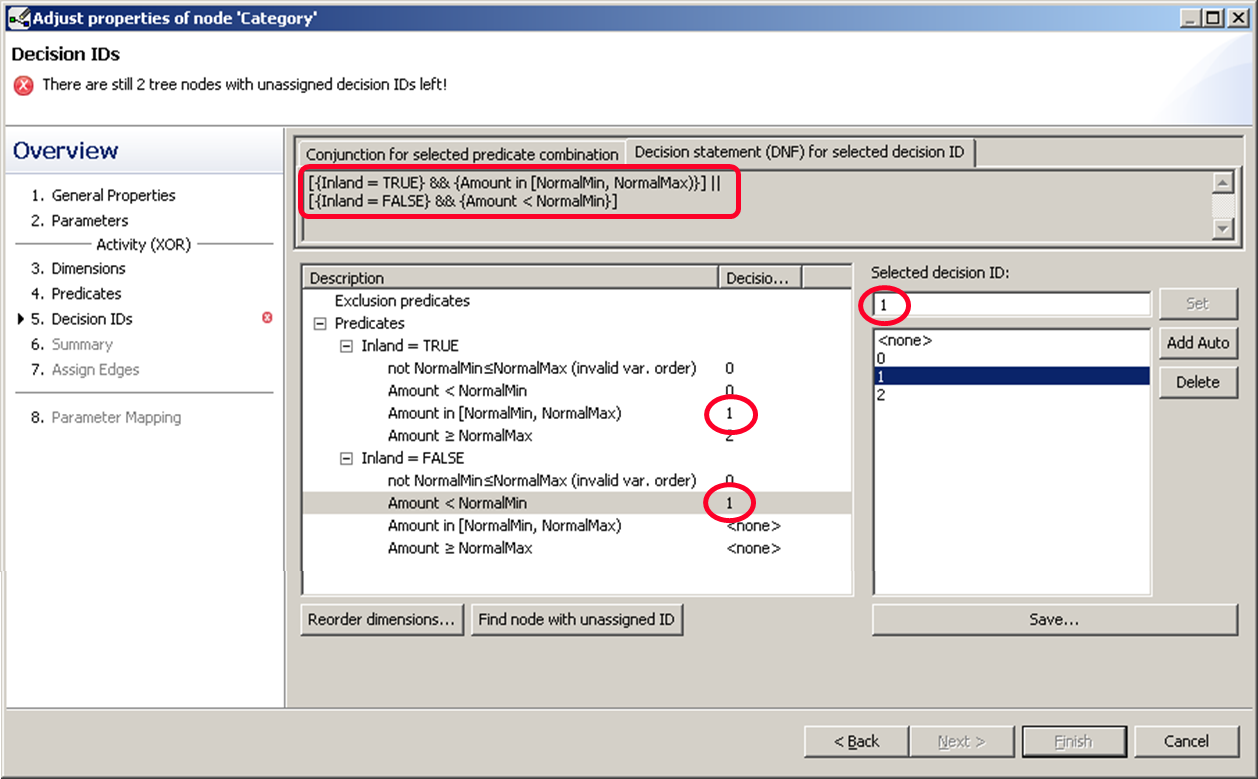
This is usually the one to choose. We said that normal inland trips are going to be managed the same way as trips to foreign countries classified as low. So both predicates are mapped to the same decision ID, 1. Both cases are connected via “II” (OR).
Second Approach
Now we give each predicate its own decision ID and instead sort them later into the respective branches.
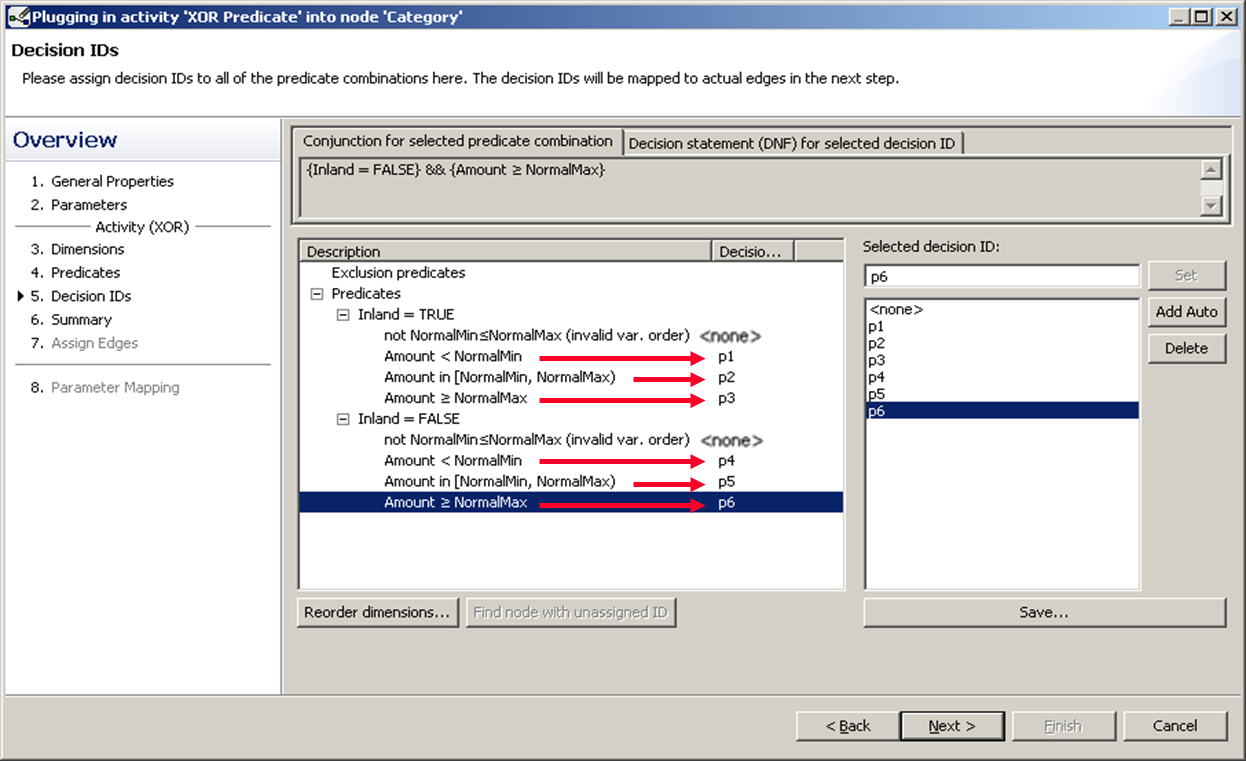
We assume that we won’t have to deal with invalid inputs, there we just give them already existing decision ID, so we stay with six. So we give the first one the ID p1 and the second p4.
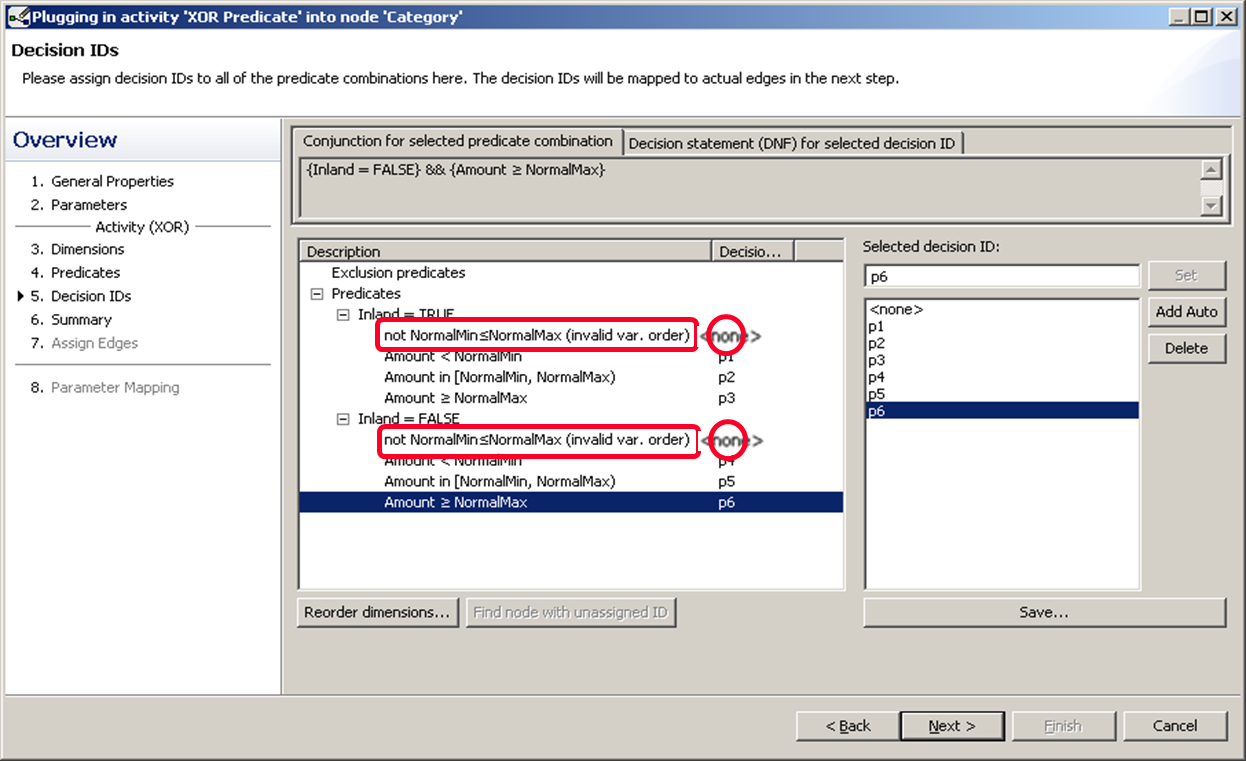
We mapped p2 and p4 to the same branch, and also p3 and p5 together to a different branch.
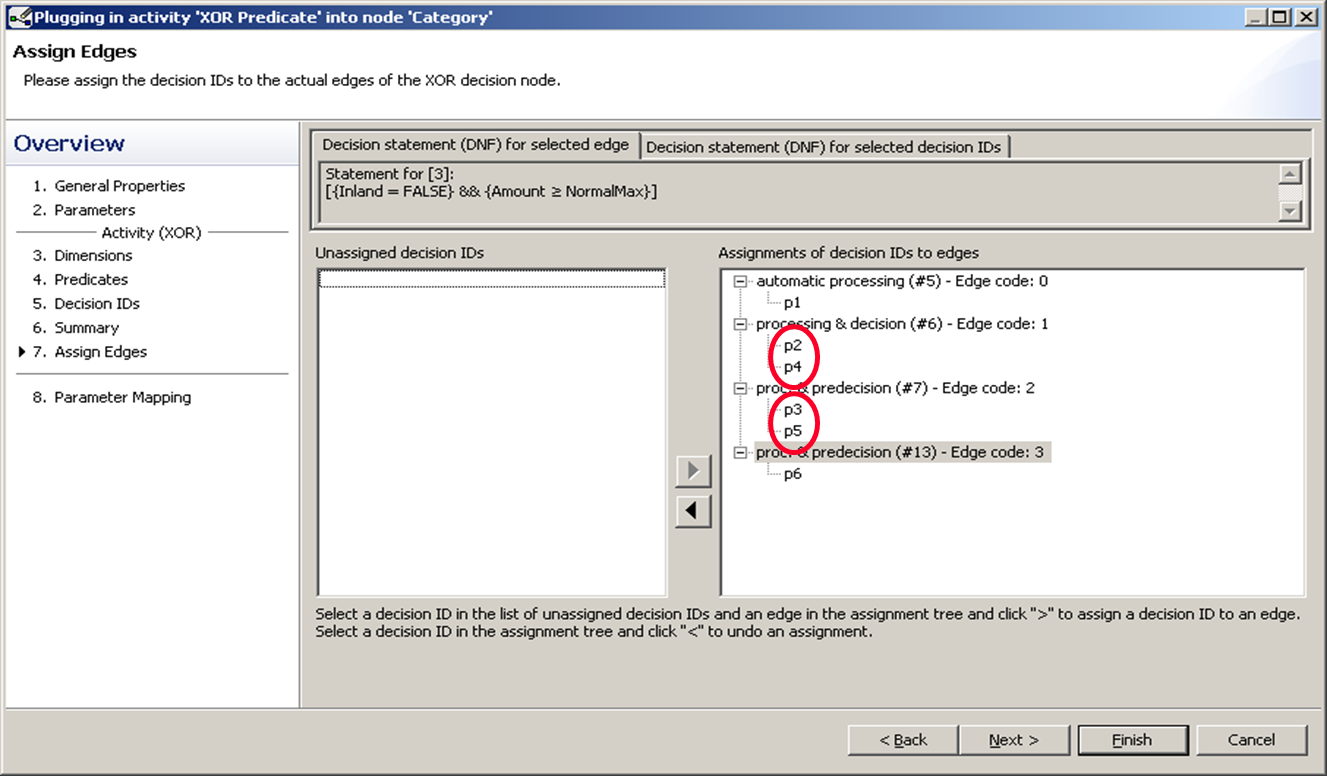
This leads to the following graph.
![](/img/advanced/multidim/Bild27.png
In the second part we will learn how to deal with irrelevant predicates.