Creating a Process Template
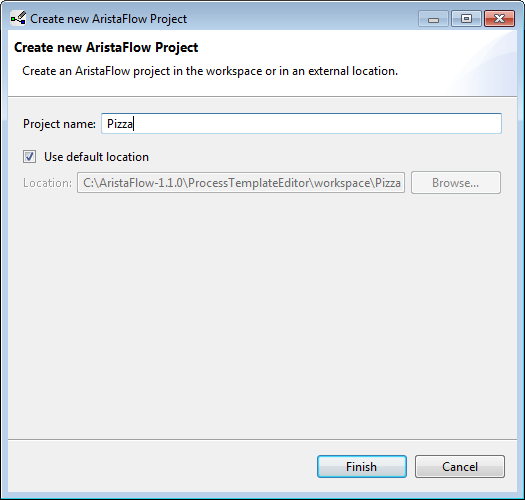
Before we can start to model our process, we first have to make a new project and a template that we change from scratch into our desired process. There are several ways to create a new project. One way is to click on “File” in the top menu bar, “New” and then “AristaFlow Project”. A pop up opens and we enter a meaningful name, e.g. “Pizza”. If you like you can change the directory where the project will be stored.
Note, that you also can create a new template directly in the Process Template Repository. Your template will then be under version control on the server. Note, that you wont be able to delete a template again, but rather deactivate it, or go to the according folder in the server directory. If you want to have your process running in a productive environment you will have to check it in sooner or later anyway.
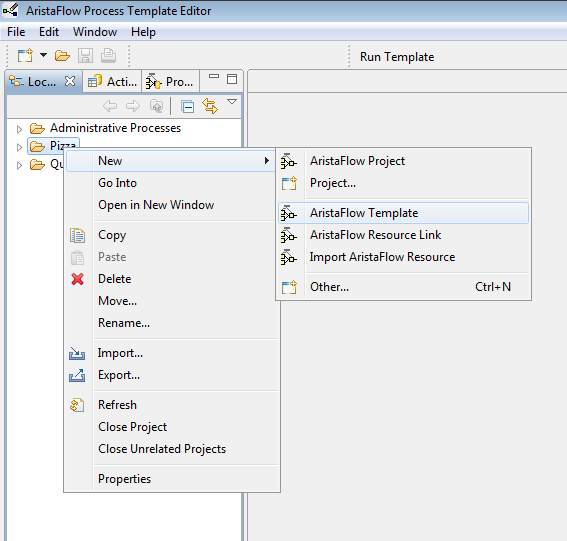
After we finished we now create the new template. We can do this like we did before with the project or directly right-click on the project itself and select “New”, “AristaFlow Project”. Give it a name that expresses the goal of the process, like “Pizza”….
Now we have created a fresh template. They always already have the start end the end node included.