Data Flow Modeling
In a business environment data will accumulate. So it must be orchestrated, too. Just like in the control flow modelling you decide the degree of abstraction. Of course AristaFlow can only handle the data that you model. In the following we will need to be able to deal with following data:
- Order, STRING
- Delivery, BOOLEAN
Unfortunately we cannot model the pizza itself so instead of attaching it to the data flow like a PDF for the driver to download it later, that part has to bypass the system.
To create new data elements, which is possible at any time because it doesn’t interfere with the correctness of the graph, click the option “Insert Data Element” quite down the “Change Operations” view. If you don’t want to scroll you can alternatively click the little button in the “Data Elements” tab in the bottom right view of the PTE (where the graph outline is). Don’t get irritated by the different naming in the pictures. Just stick to ones given above.
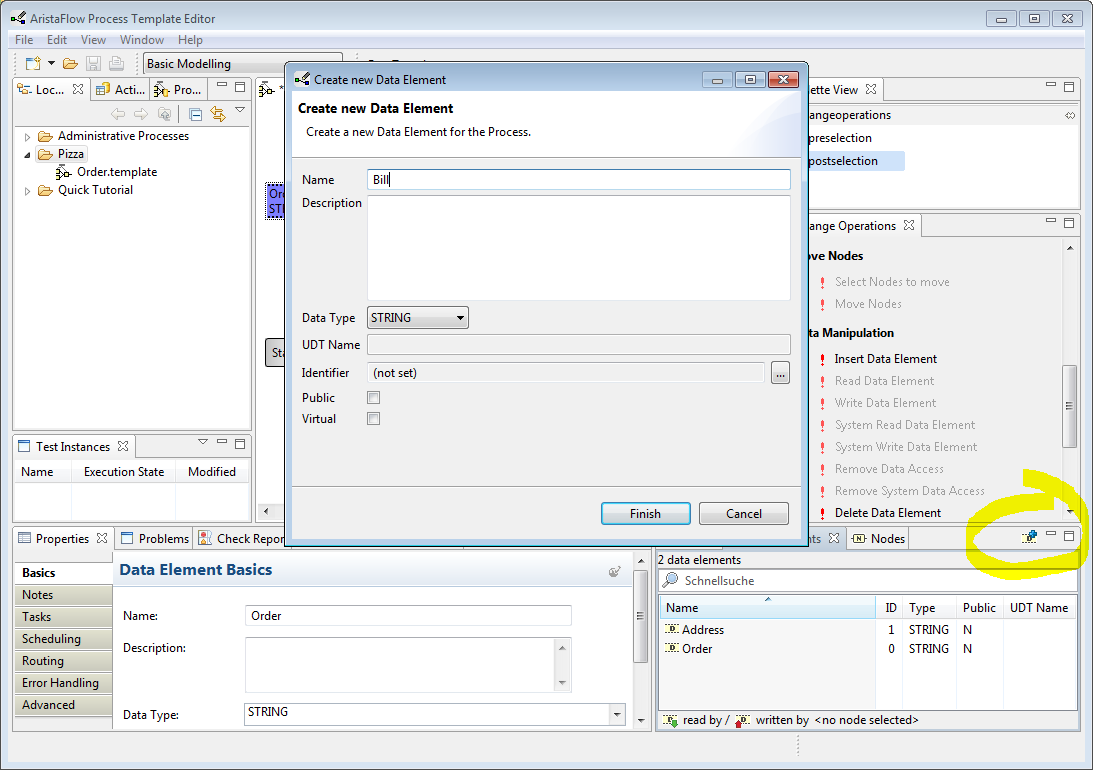
To name a data element and give it the proper type, click on the data element and switch to the “Properties” view down left and enter the values for “Name” and “Data Type” accordingly.
After we defined the data elements, we now have to connect them in the right manner to the control flow. In the process step “Accept order” we obviously receive data, we get input. Therefor we have to write, i.e. store the incoming information (like what pizza, delivery or not) in the respective data elements. We click on the process step “Accept order” in preselection mode, switch to postselection and click on the data element “Order”. Now we select the change operation “Write Data Element” in the “Data Manipulation” section of the “Change Operations”. A dashed arrow pointing from the process step towards the data element is now shown. We repeat the procedure for the other data element. Now, we have “Order” and “Delivery” written by “Accept order”.
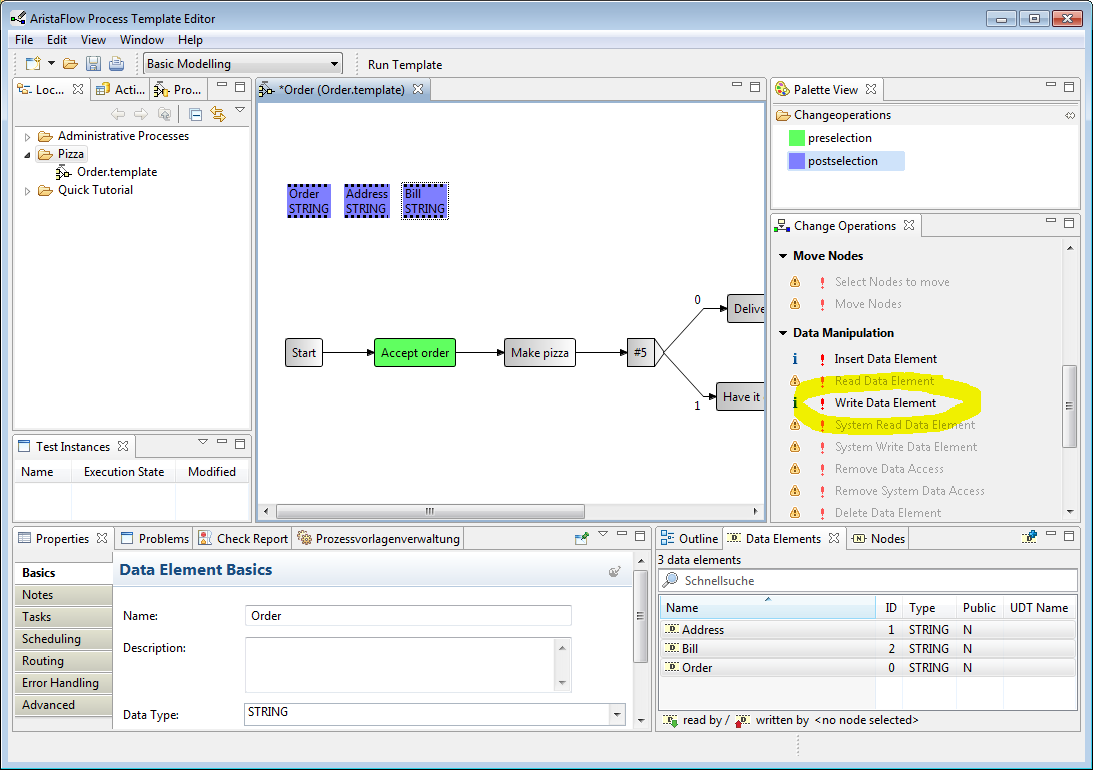
We stored the data that we need in order to complete the process, otherwise they would be redundant and useless. In our model, for the pizza baker to know which pizza to make he needs the information from the “Order”. Therefor the process step “Make pizza” reads the data element “Order”. We proceed like just this minute with the writing but the other way round. We mark the data element as preselection and the process step as postselection. Now the editor prevents us from clicking “Write Data Element”, but instead we only can click “Read Data Element”, which is exactly what we want. We repeat this for the “Delivery” data element and the split node, which comes right after “Make pizza”.