Installation
All files can either be downloaded in the Moodle course or are provided by your supervisor.
Supported Operating Systems
- Windows
- Linux
Install License
- Copy the jar to {af.installDir}\server\lib and {af.installDir}\testclient\plugins (e.g., to C:\AristaFlow-X.X.X\server\lib etc.)
- Restart the server and all client applications, if running.
Register Server and Automatic Client as Windows Service
- Run ServiceManager.exe
- Choose your Installation Directory of AristaFlow (Default: C:\AristaFlow-1.x.x)
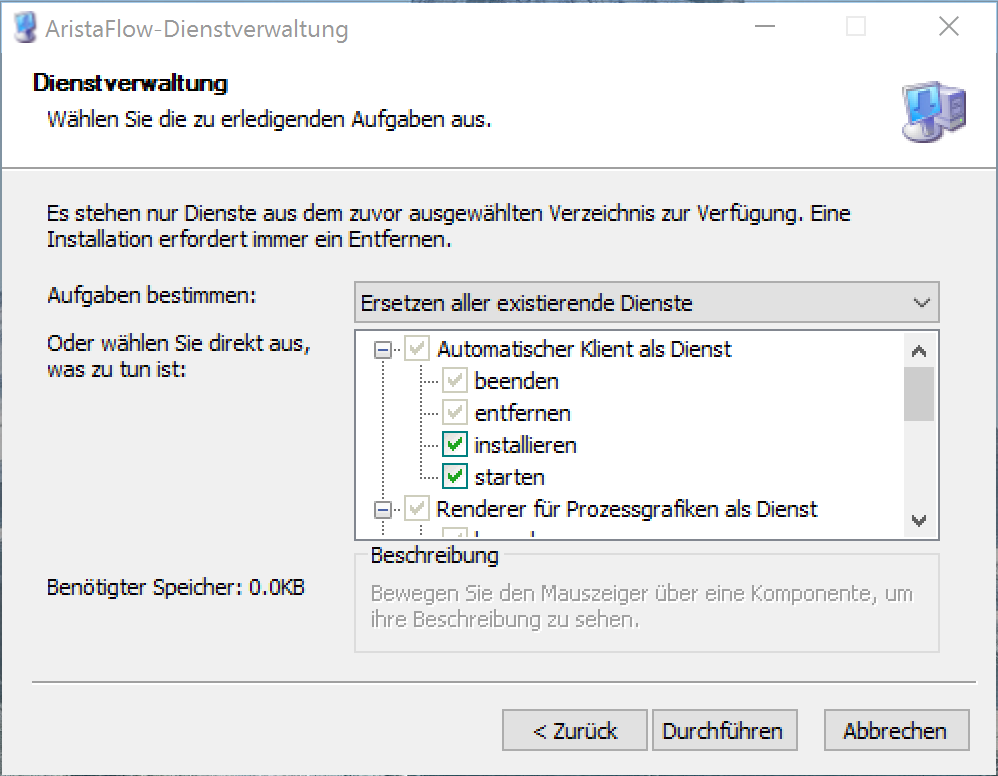
- Choose “Ersetzen aller existierenden Dienste” in the Dropdown Menu (see Figure below)
- Activate “installieren” and “starten” for every Service (i.e., Automatic Client, Renderer, AristaFlow-Server)
- Click on “Execute” / “Durchführen.
If you install a new version of AristaFlow on a Computer, then you have to register all services again.