Monitoring and Analyzing
We can monitor a process as it is being executed. But there is also a much mightier tool for monitoring, the AristaFlow Monitor. Log in with supervisor / password.
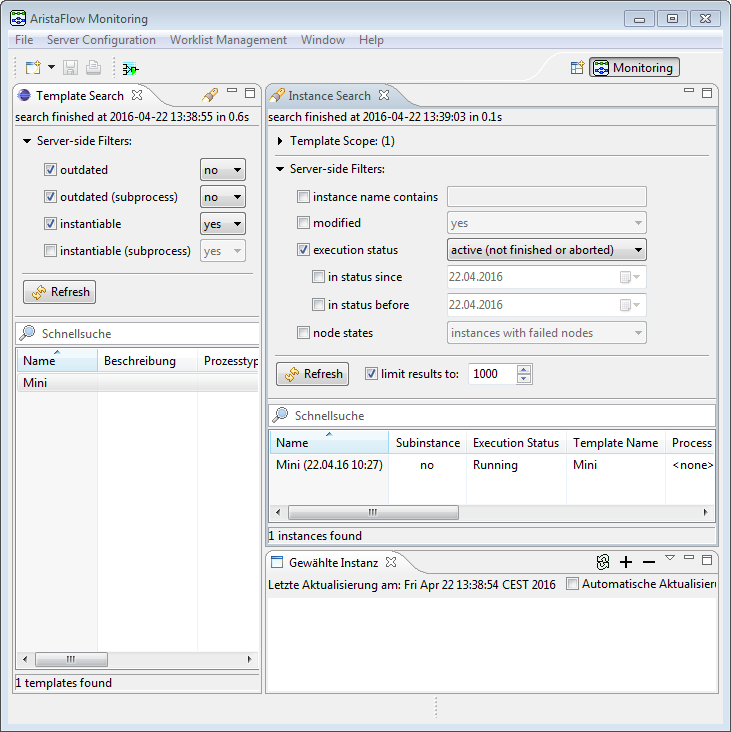
On the left side you can search and filter for specific process templates. But it shouldn’t be of much effort to find our pizza process. If you double-click it, the view of all instances of this process template opens in the workspace. Then you can search for specific instances of that process.
If you double-click on one of the process instances you’ll see the process including its execution state and “Instance History”.
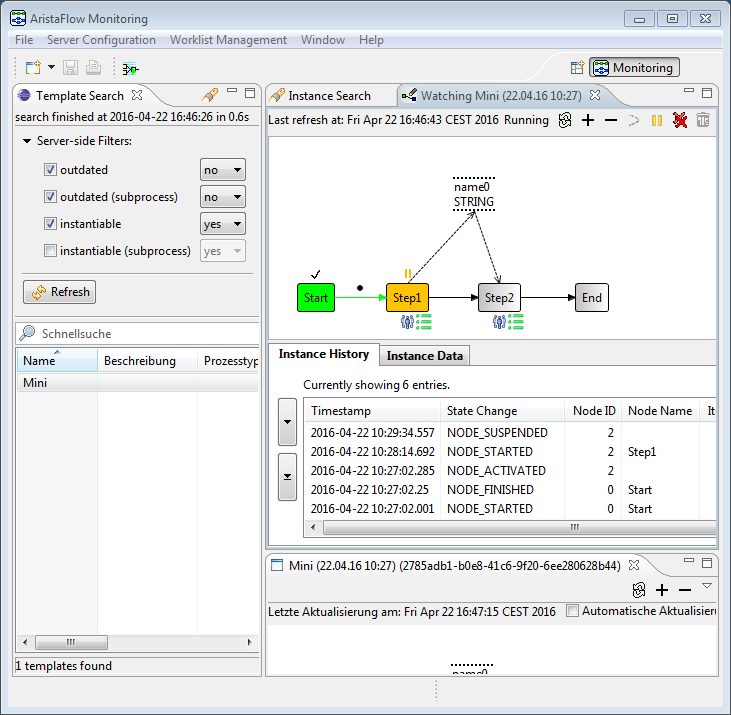
You can synchronize the instance with the server manually or set an refresh interval in the upper left corner to keep up with the news. From here on you can not only monitor the processes but also administrate them. Right-click on completed process steps and select “Re-open EBP (read-only)” to revisit the step. In the same manner you can reset failed steps by selecting “Reset…” or modify running instances by selecting “Modify instance” from the tool bar.
The perspective will change and you can apply the change operations you know from the PTE. Correctness by construction guides you again.

You can use the exhaustive logging information for further analysis of your processes and spot bottlenecks and unused paths to further optimize the process.